External sensors (HY, CO2, VOC)
Approved external sensors:
- PP 45 HY humidity sensor
- PP 45 CO2 CO2 sensor
- PP 45 VOC air quality sensor
Connection conditions
- Connection to the RS 485 bus.
- A maximum of 3 external sensors (HY, CO2, VOC) per RLS 45 K permitted.
- Different sensor types permitted.
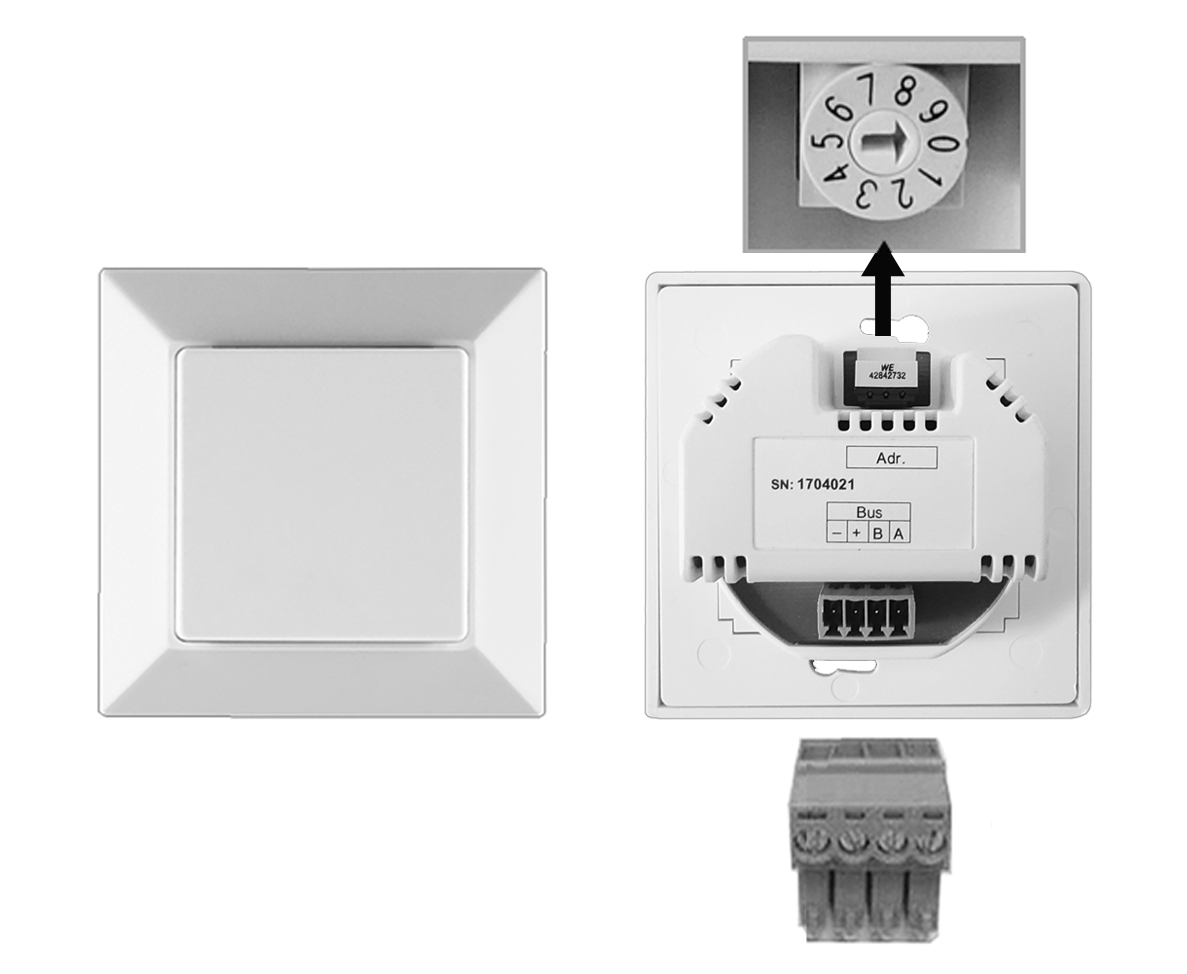
- The sensors are addressed using the rotary switch.
- Sensor-controlled automatic operation only for ventilation units that are connected to the same control as the sensors.
- Observe the cable lengths of the connection cables. Avoid imbalances.
Connecting sensors
- Set the sensor number using the rotary switch on the sensor housing:
• Position 0 = sensor 1
• Position 1 = sensor 2
• Position 2 = sensor 3 - Switch off the mains fuse and secure it against being switched on again.
- Wire the enclosed 4-pin connector plug of the sensor to the RS 485 bus, see connector sticker or connection and wiring diagrams.
- Insert the connector plug into the sensor.
- Insert the sensor into the flush-mounted box and screw down to flush-mounted box with 4 screws. Carry out the installation in a deep flush-mounted box.
Do not carry out commissioning until all ventilation units and system components have been completely installed.
- Switch the mains fuse on. The ventilation units start up.
- In the service menu of the RLS 45 K control unit, select the Sensors setting parameter and enable the number of sensors. Alternatively, use the commissioning software.
- Carry out a function test and check the sensor function.