Final mounting
 NOTICE Danger of short-circuits and damage to the unit. Humidity will penetrate if electronics cover is not fitted correctly.
- Press electronics cover firmly onto housing such that it is sealed and flush all the way around. When doing so, do not press setting buttons.
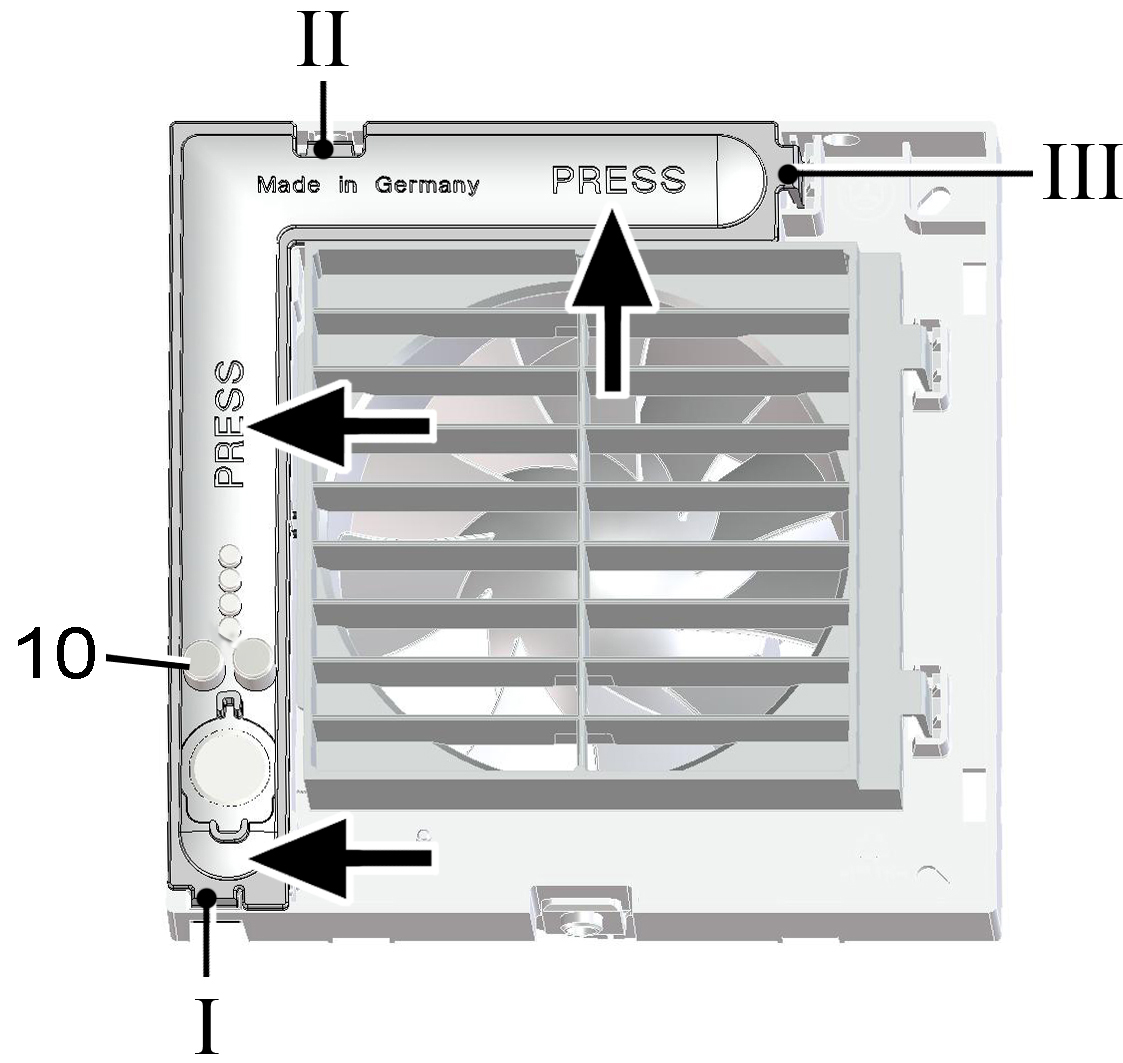
10 | Setting button |
- Push the electronic cover on the housing cut-outs I, II and III onto the 3 locking tabs, until the tabs engage. In addition, press the electronics cover firmly onto the housing at both points indicated by the word PRESS.
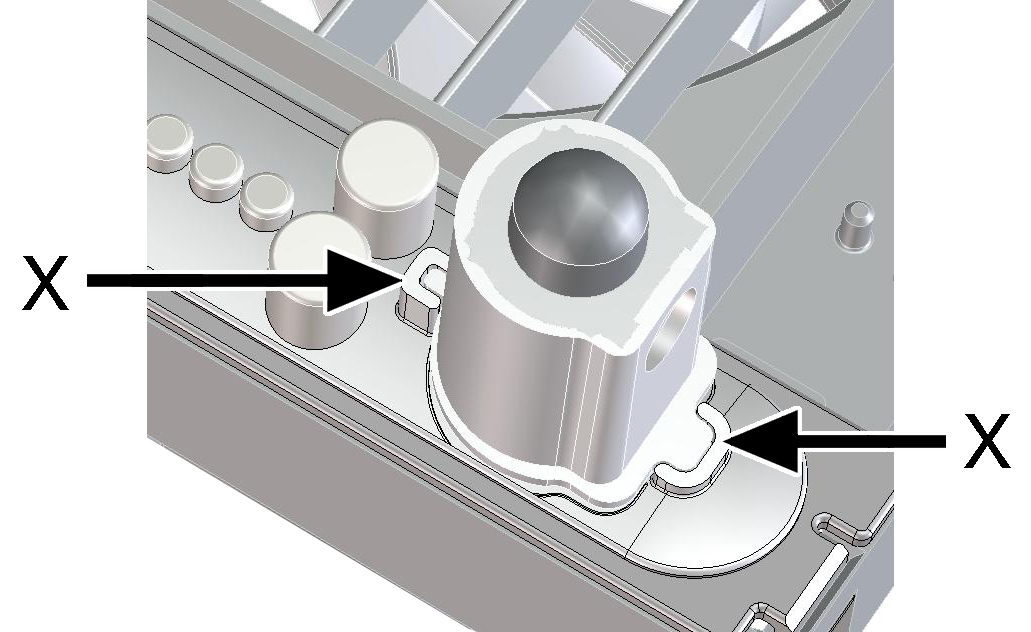
- With RCH unit models, plug the supplied sensor (→ arrow X) into the connector sockets.
 RCH: Do not touch/push on the membrane on the flat side of the sensor wall, otherwise it will be damaged.
- Attach housing cover.
- Teach-in the radio components with the left setting button → Tips for teaching-in radio components.
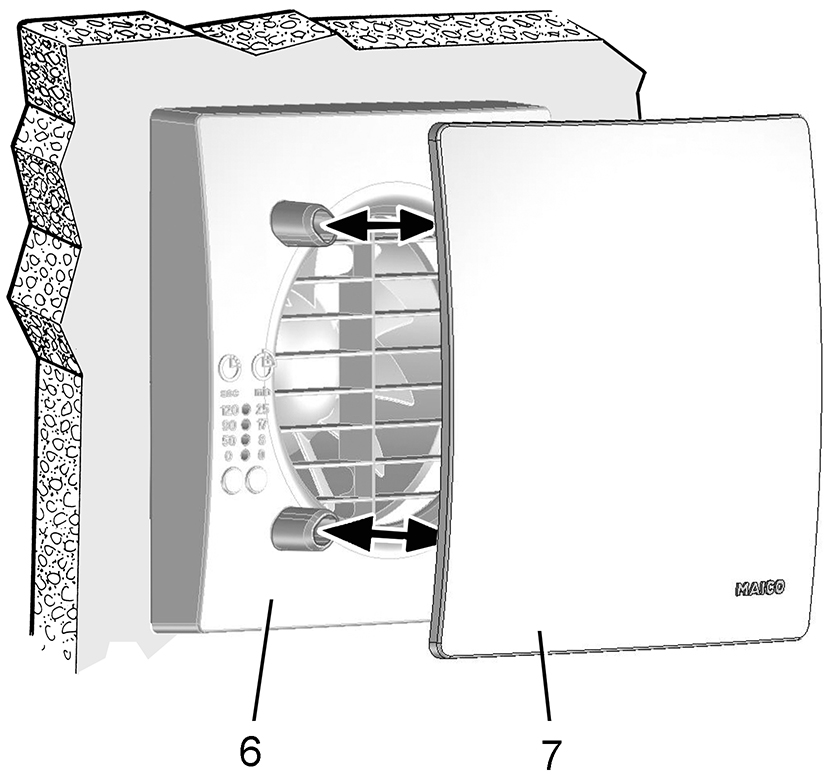
6
Cover
7
Designer cover
- Fit designer cover.