Installation of electronics cover
ATTENTION: Ensure degree of protection IP X5, insert electronics cover as follows.
Short circuit and fire hazard if moisture penetrates. A flat installation position is required for the electronics cover. The surrounding seal of the electronics cover must be pressed tightly into the housing all round.
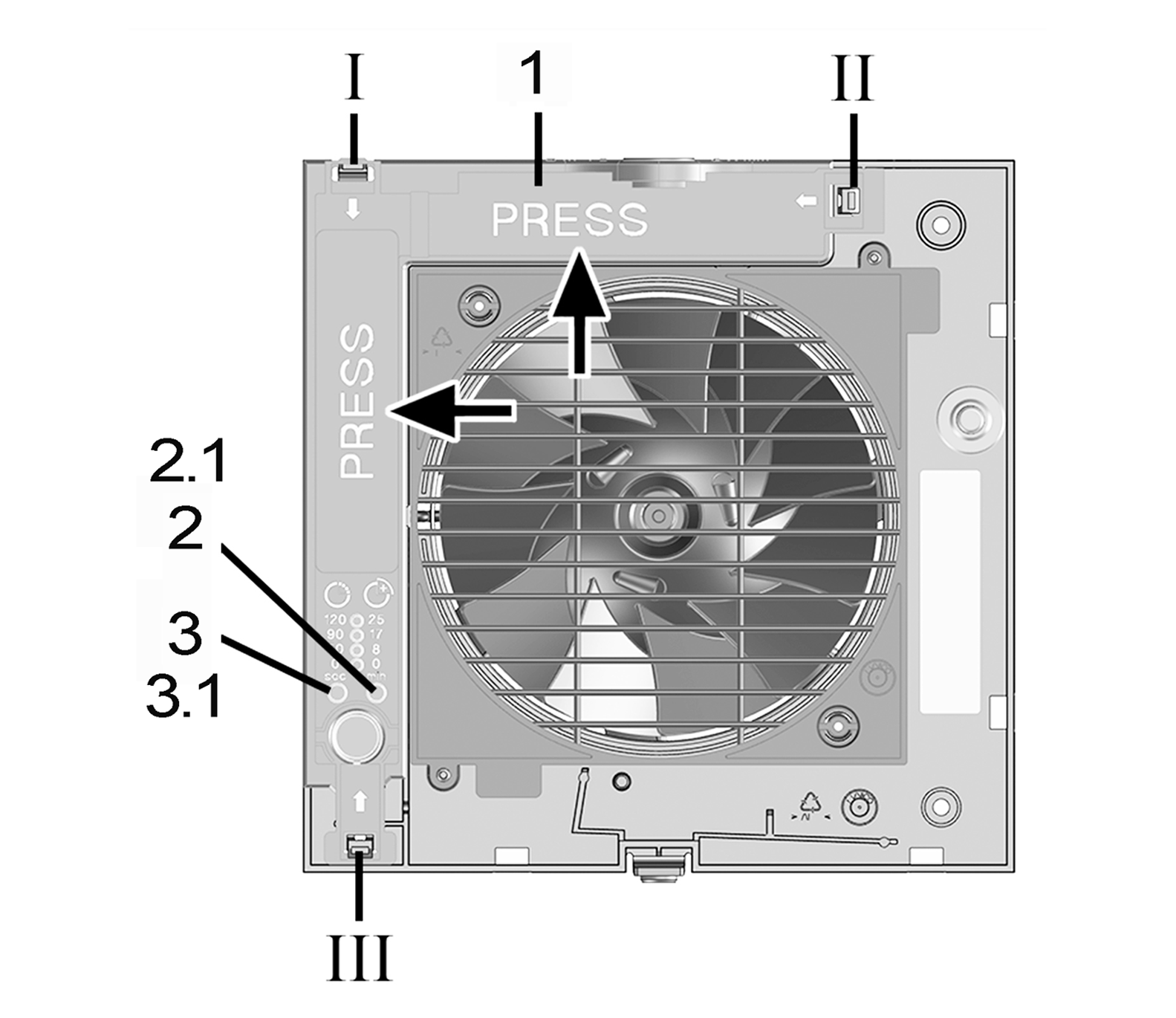
1 | Electronics cover |
2 | Start delay button |
2.1 | LED for RC units |
3 | Setting button for overrun time |
3.1 | Teach-in button for RC units |
I - III | Housing recesses for locking tabs |
- Push the electronics cover onto the 3 locking tabs at the housing recesses I, II and III, one after the other, until it clicks into place.
- Press the electronics cover firmly into the housing at both positions indicated by the word PRESS. Ensure tightness to the housing.