Start delay and overrun time
The setting is made with the housing cover removed. The first time the setting button is pressed, the currently set value is displayed. The LEDs are off during operation.
- Carefully remove the housing cover with the design cover.
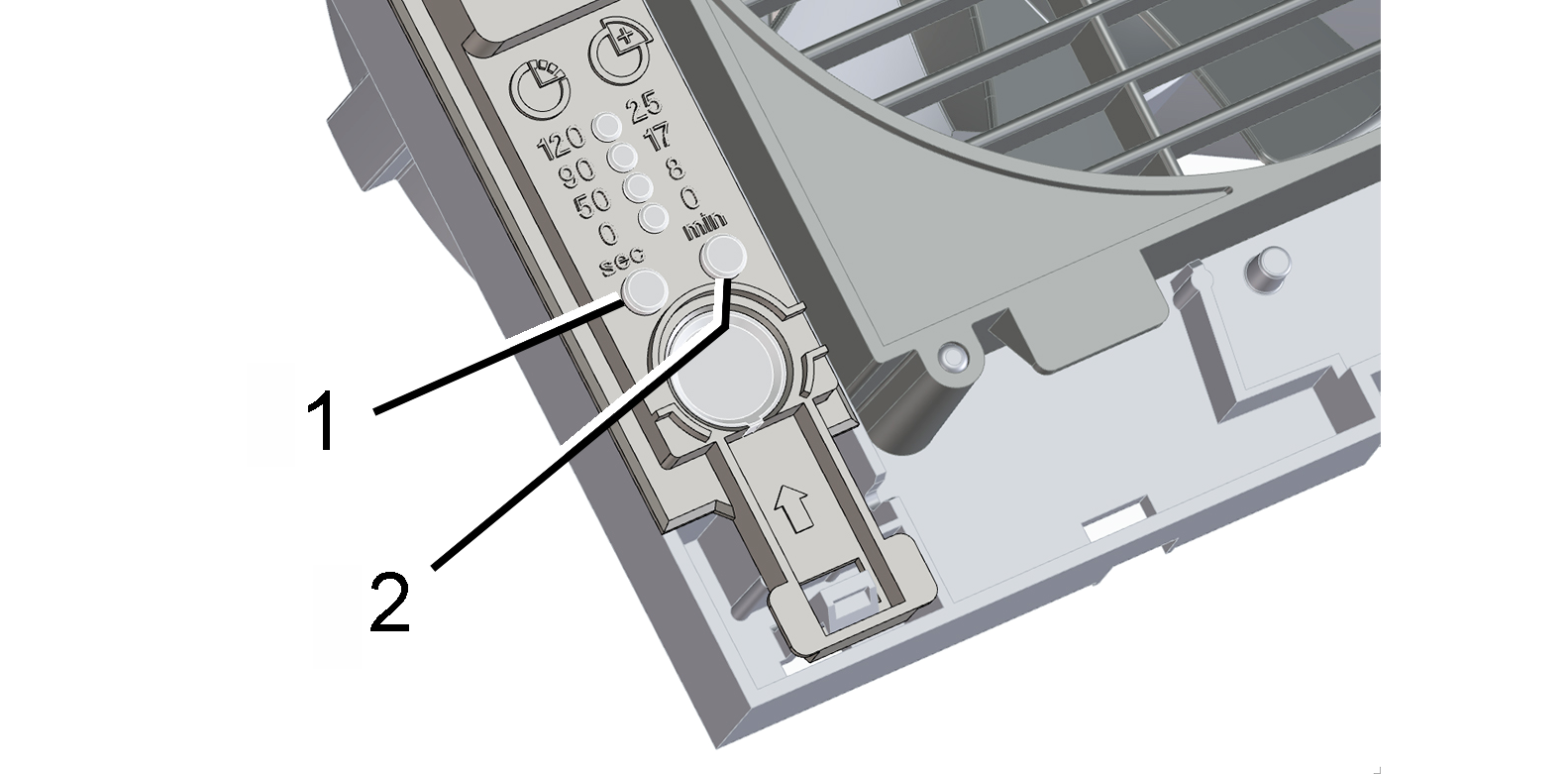
1 | Setting button for start delay |
2 | Setting button for run-on time |
Setting the start delay:
- Press the left-hand setting button repeatedly, until the LED of the desired start delay time lights up. Wait until the LED flashes twice and goes out. The value is now saved. With the H and KH variants, the start delay for the light switch can only be set when the light switch is switched on.
Setting run-on time:
- Press the right-hand setting button repeatedly, until the LED of the desired run-on time lights up. Wait until the LED flashes twice and goes out. The value is now saved. The settings take effect starting with the next switching process (sensor, light switch).
- Carefully press the housing cover/design cover onto the housing, until they snap into place.