Battery change
The Corrigo controller contains a battery that ensures that the memory and real-time clock continue to function even in the event of a power failure. If the "Internal battery" alarm is activated and the battery LED lights up red, the battery used to back up the programme memory and the real-time clock has become too low. Replace the battery as described below. A backup capacitor stores the memory and keeps the clock running for at least 10 minutes after an interruption in the power supply. If the battery change takes less than 10 minutes, the programme does not need to be reloaded and the clock continues to run normally. The replacement battery must be of type CR2032.
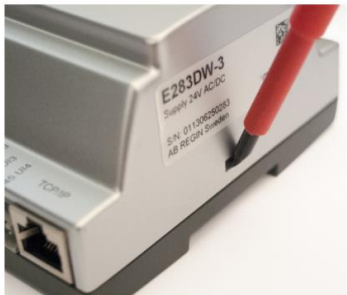
- Remove the cover by pressing on the locking tabs on the edge of the cover with a small screwdriver and pulling the edges outwards.
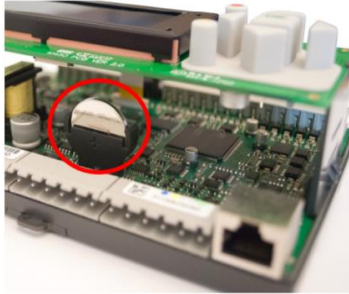
- Grip the battery firmly and lift it until it comes out of its holder. Press the new battery firmly into place. Note: To maintain the correct polarity, the battery must only be inserted with the "correct side up"!