EnOcean wireless menu (specialist installer)
The PP 45 EO EnOcean module (EnOcean extension module) can only be taught-in with the RLS 45 K commissioning software.
With the software, the teaching mode is switched on and a radio telegram is sent. All radio sensors/radio switches are taught-in directly on the PP 45 EO. Only the EnOcean module is taught-in on the master.
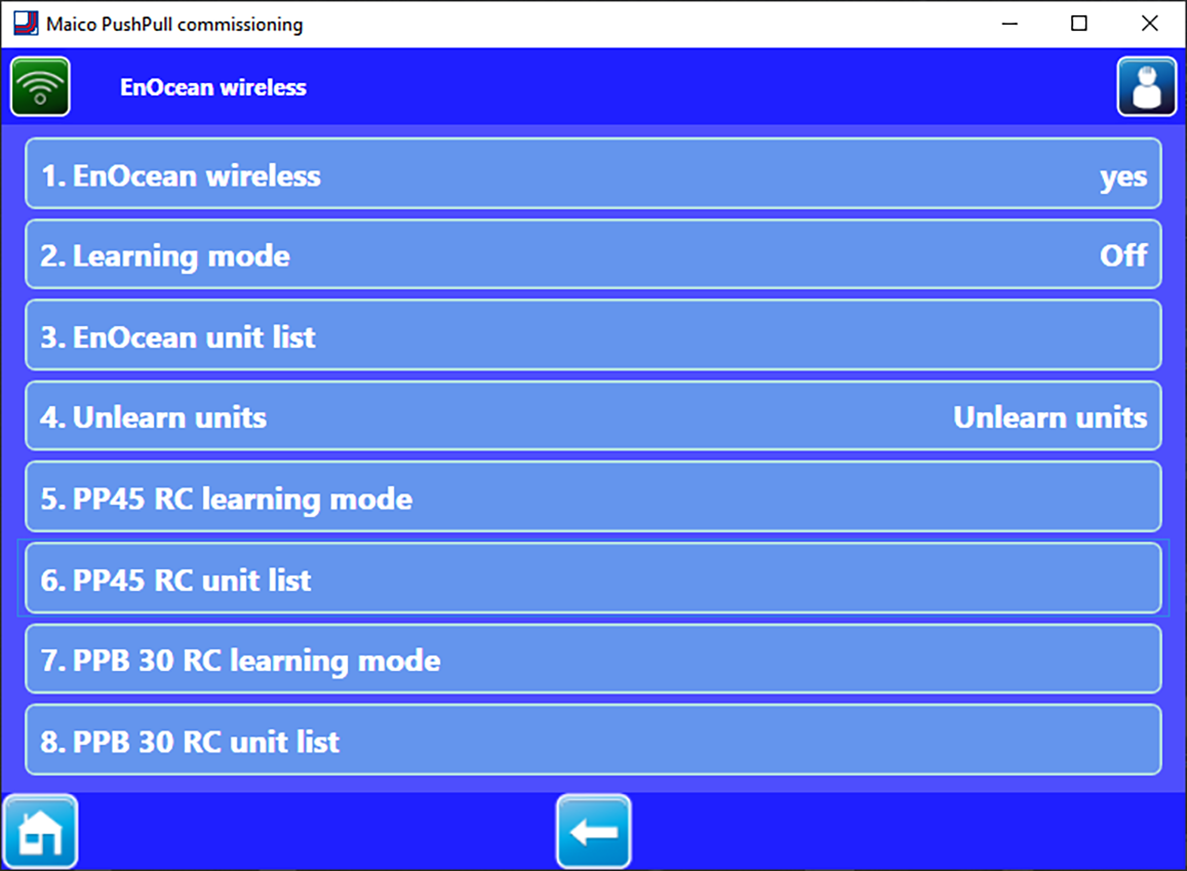
Parameters | Setting value |
|---|---|
EnOcean wireless | no, yes |
Teaching mode | off, on |
EnOcean device list | EEP list |
Teach-out units | off, on |
PP 45 RC teaching mode | Teaching-in |
PP 45 RC unit list | PP 45 RC units 1-4 |
PPB 30 RC teaching mode | Teaching-in |
PPB 30 RC units list | PPB 30 RC units 1-4 |
- Activate EnOcean wireless with yes.
- Set teaching mode to On. The sub-menu shown above appears. Parameters 2 to 4 serve to teach-in or teach-out the sensors and radio switch. Parameters 5 to 7 serve to teach-in or teach-out the PP45 EO on the master unit PP45 RC.
 Before selection of "5. PP 45 RC teaching-in", it is necessary to define the PP45 RC units amongst themselves as master-slave.
PP45 RC units only function in pairs and only with master-slave assignment.
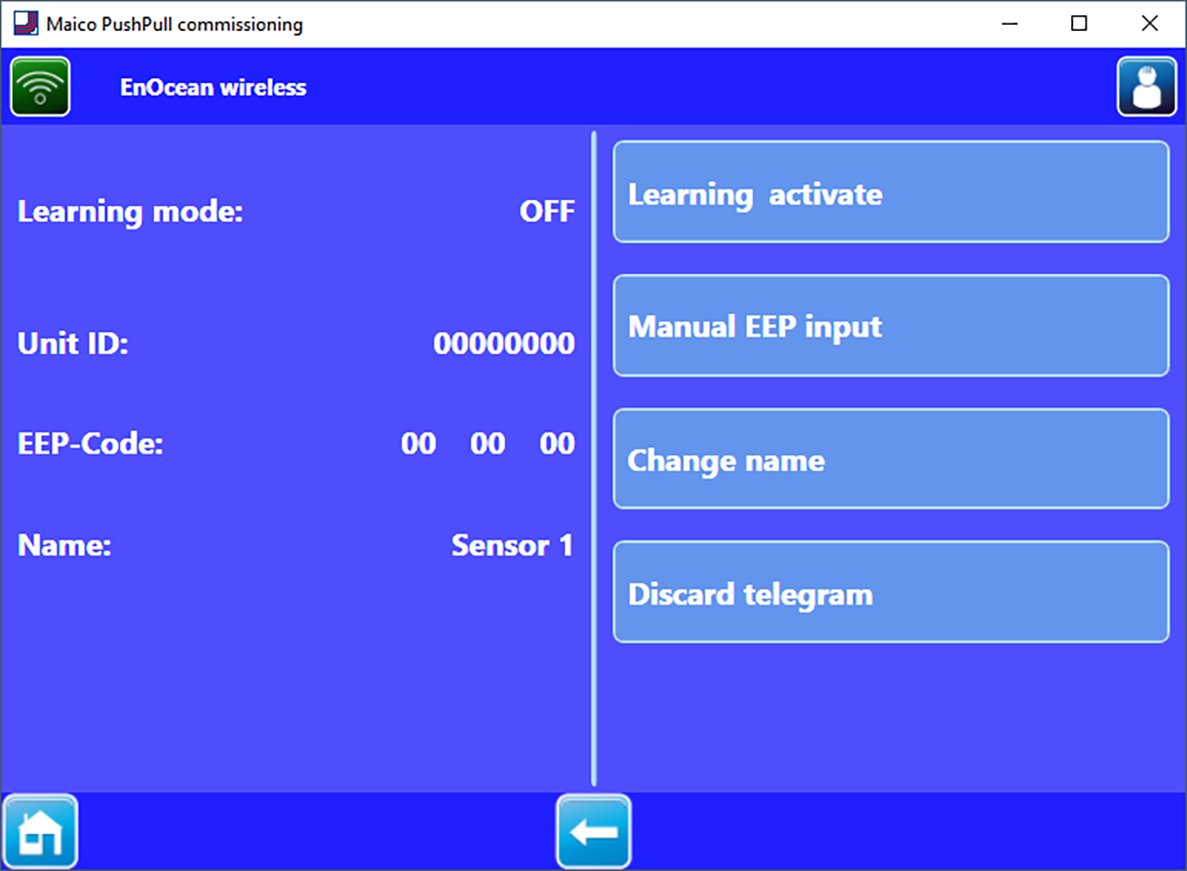
Parameters | Setting value |
|---|---|
Deactivate teaching-in |
|
Manual EEP input | → Following table |
Change name | bathroom, living room etc. |
Teach-out units | All released EnOcean components are unlearned |
Radio components which can be learned-in
You can teach-in up to 8 connected EnOcean components. PP 45 radio components must support the EEP protocol. Radio components with the same EEP no. can be combined with the PP 45 system.
Radio components which can be learned-in | EEP |
|---|---|
EasySens radio switch, 4-channel wall transmitter | F6-02-01 |
Humidity/temperature sensor | A5-04-01 |
CO2/temperature sensor | A5-09-08 |
VOC/temperature sensor* | A5-09-05 |
ViAct (Opus Bridge) 1-channel flush-mounted switch | D2-01-01 |
* No EnOcean VOC sensor currently available.