PP 45 LT power unit
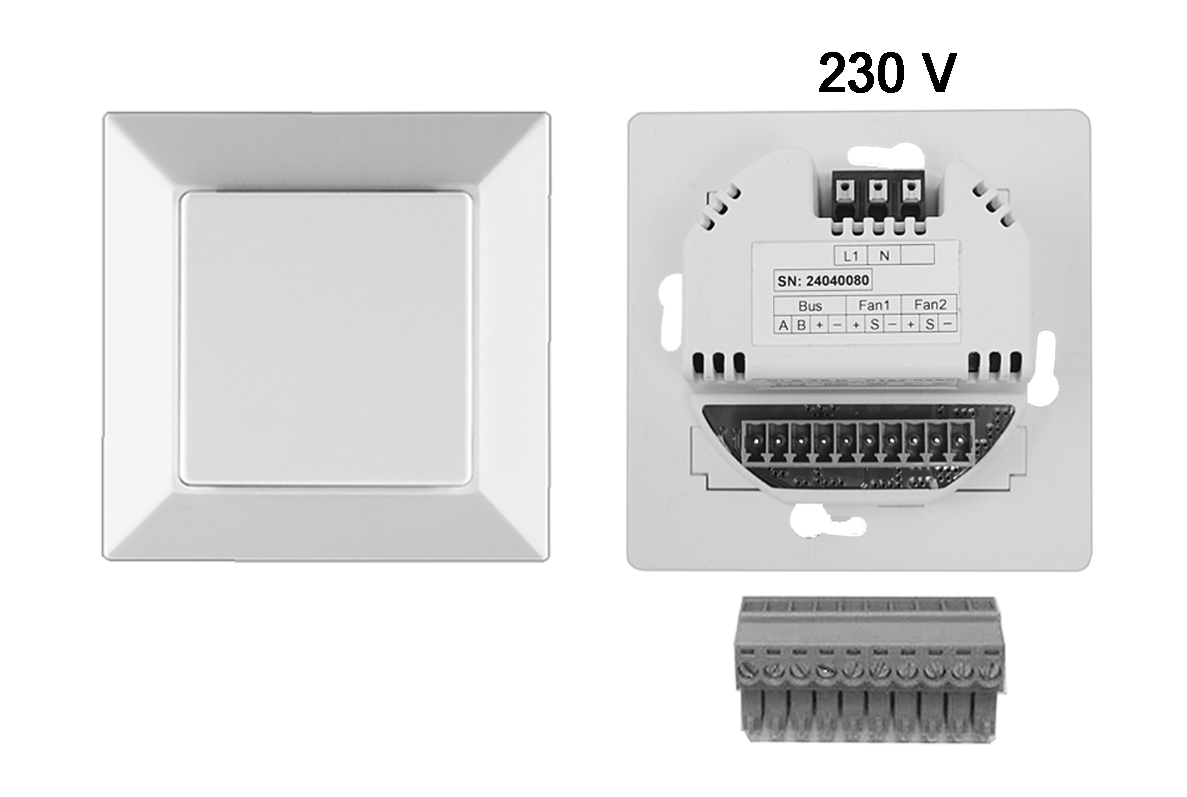
- Switch off the mains fuse and secure it against being switched on again.
- Wire the enclosed 8-pin connector plug of the PP 45 LT power unit and connect it to the RS 485 bus, see connector sticker or connection and wiring diagrams.
- Insert the connector plug into the control unit.
- Connect the mains cable (230 V) to the PP 45 LT.
- Insert the power unit into the flush-mounted box and screw down to flush-mounted box with 4 screws. Carry out the installation in a deep flush-mounted box.
Only carry out the Commissioning once all ventilation units and system components have been completely installed.
- Switch the mains fuse on. The ventilation units start up.
- In the service menu of the RLS 45 K control unit, select the setting parameter Power units, RLS on the RS 485 bus and switch the power unit to active. Alternatively, use the commissioning software under Basic settings for specialist installer/number of power units.
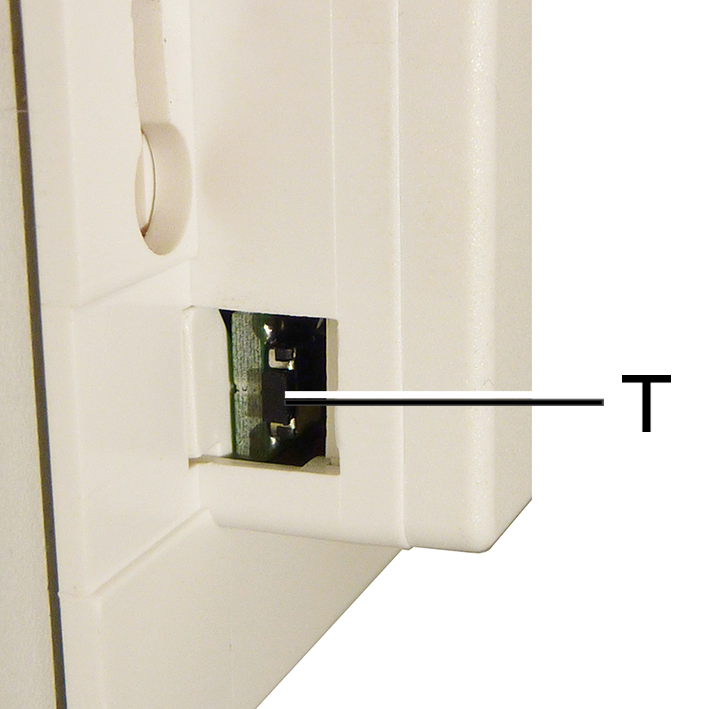
- Press the [T] button once on the power section. The connection between the RLS 45 K-Master and the PP 45 LT is established and secured.
- Perform a function test after successful login. Test all accessory functions (signal strength, humidity function, etc.).